sparkles:terminal
sparkles:terminal (the terminal command) is a minimal, fast terminal emulator for Linux, written in D. It pairs libghostty-vt — the terminal core that powers Ghostty — with a raylib renderer, in roughly two thousand lines of code.
nix profile add github:PetarKirov/sparkles#terminal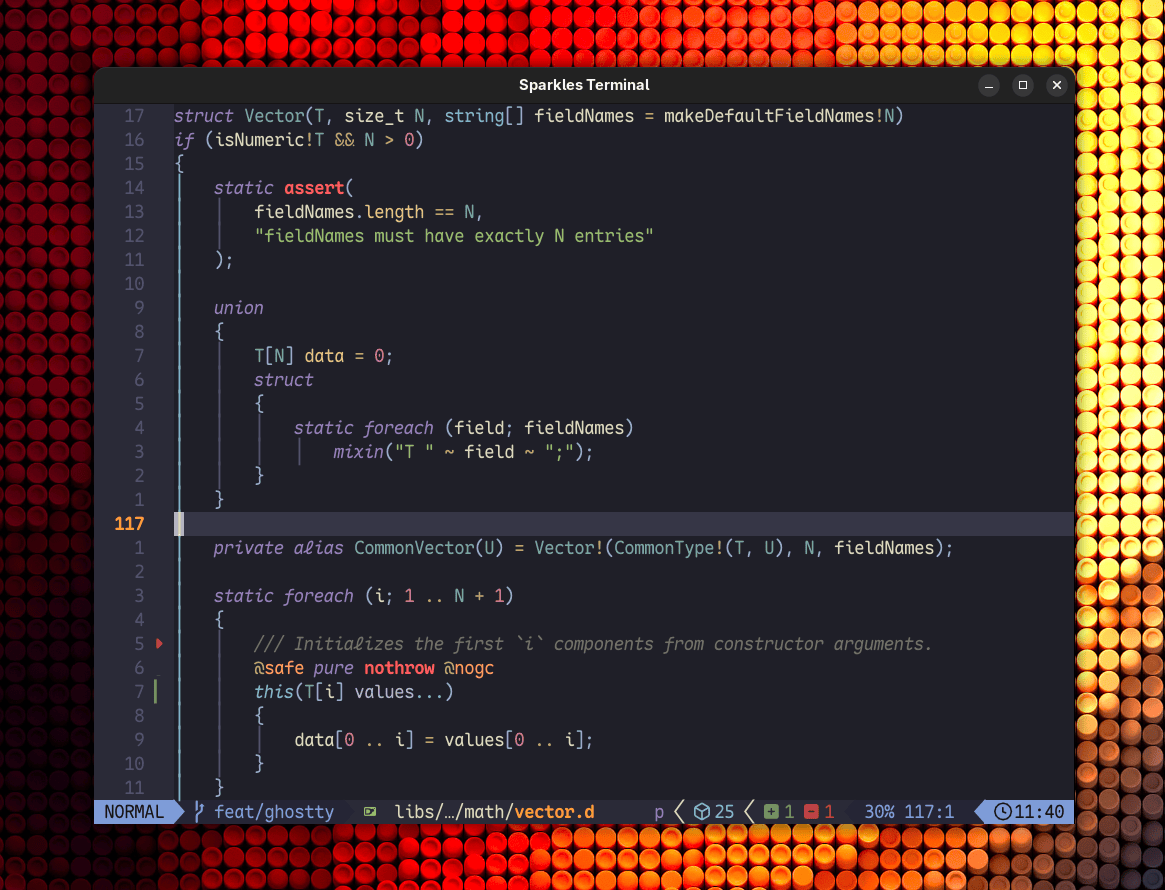
It exists for two reasons: as a usable, no-frills terminal, and as the real-world integration test for the sparkles:ghostty bindings (D bindings for libghostty-vt, in libs/ghostty). It is deliberately small — no tabs, no splits, no config file — but the terminal itself is not a toy: the VT engine is the same one Ghostty ships.
dub run :terminal                       # interactive login shell
dub run :terminal -- --font "Fira Code" --font-size 14
dub run :terminal -- -- htop            # run a command instead of a shell
Highlights
Correct
VT parsing and terminal state live in libghostty-vt; the renderer supplies pixel graphics, text shaping, and synchronized presentation:
- VT220-class emulation with
TERM=xterm-256color, true color, and accurate responses to the capability queries (device attributes, size reports, XTVERSION) that programs like vim, tmux, and htop probe at startup. - Kitty Graphics Protocol — native-sized RGB/RGBA and PNG images, cropping, placement offsets, and all three text/background layers. Cached textures survive redraws; changed pixel rows update without re-uploading whole images.
- Grapheme clusters — HarfBuzz shaping and FreeType rasterization preserve combining marks, ZWJ sequences, variation selectors, and color emoji.
- Cell graphics — font-independent box drawing, blocks, braille, sextants, octants, and legacy mosaics align to cell edges without font gaps.
- Synchronized output — mode 2026 holds a completed frame while input and capability replies continue; a one-second deadline releases abandoned holds.
- Palette queries — OSC 4 replies reflect the current palette, including multiple queries and palette changes in the same control string.
- OSC 8 hyperlinks and plain
http(s)://URLs: hover underlines them, click opens them in your browser.
Fast where it matters
The steady-state frame loop is nothrow @nogc — a long-running session has no GC pauses. When nothing on screen changes, the renderer skips the redraw entirely, dropping idle CPU to near zero. Ordinary glyphs and cell geometry batch through the font atlas; shaped clusters use padded RGBA atlas pages, and Kitty images retain their own textures. Unchanged images avoid repeated decoding and uploads. Printable image payloads pass through one scanner fast path instead of three independent byte-by-byte state machines.
Practical text rendering
- Use any font by file path or fontconfig name (
--font "Fira Code"). - Bold, italic, and bold-italic faces of the same family are discovered automatically, so styled text uses real glyphs (e.g. cursive italics), with a synthetic fallback when a face is missing.
- Nerd Font and regular monospace fallbacks cover glyphs the primary font lacks; anything the primary face does cover is rasterized on demand, so icon planes like Material Design Icons work without preloading ~109k glyphs.
--font-codepoint-maproutes specific codepoint ranges to a dedicated font, mirroring Ghostty's option of the same name.
Everyday terminal ergonomics
Selection with rectangular (Alt) mode, clipboard copy/paste, mouse reporting for TUI apps, a hover-activated scrollbar over infinite scrollback (configurable), focus reporting, a visual bell, window-title updates, live window resizing, and Ctrl +/- font zoom. See key and mouse bindings.
Documentation
- Getting started — build it, run it, run a command in it.
- CLI reference — every flag, with defaults.
- Key and mouse bindings — shortcuts, selection, scrollback, links.
- On Android — the APK, and nix-on-droid's app.
Limitations
Linux/POSIX only (it spawns the shell with forkpty) — and Android, as a native app. One window, one terminal: no tabs, splits, or configuration file — configuration is the command line. Font discovery shells out to fontconfig (fc-match, fc-query), which the Nix dev shell provides.